
AstrBot - Agent Chatbot
AstrBot Configuration Tutorial — Integrating the open-source Agent chatbot platform with Blue Whale API to inject AI capabilities into instant messaging platforms like QQ, Feishu, DingTalk, and WeChat Work.
AstrBot is an open-source, all-in-one Agent chatbot platform that seamlessly integrates large language model capabilities into mainstream instant messaging software such as QQ, Feishu, DingTalk, and WeChat Work, creating a reliable and scalable conversational AI infrastructure for individuals, developers, and teams. Whether it's a personal AI companion, intelligent customer service, automation assistant, or enterprise knowledge base, AstrBot can quickly build production-ready AI applications within your instant messaging platform's workflow.
- Official Website: https://astrbot.app
- Official Documentation: https://docs.astrbot.app
- Project Homepage: https://github.com/astrbotdevs/astrbot
Blue Whale API Integration Method
AstrBot supports integrating Blue Whale API as a model provider, allowing users to access and utilize various AI model services through Blue Whale API.
Configuration Steps
Obtain Blue Whale API Key
After registering and logging into Blue Whale API, click 'Console' in the top navigation bar, then click 'Token Management', and then click the 'Add Token' button to create a new API Key. Select the appropriate permissions and click 'Create'.
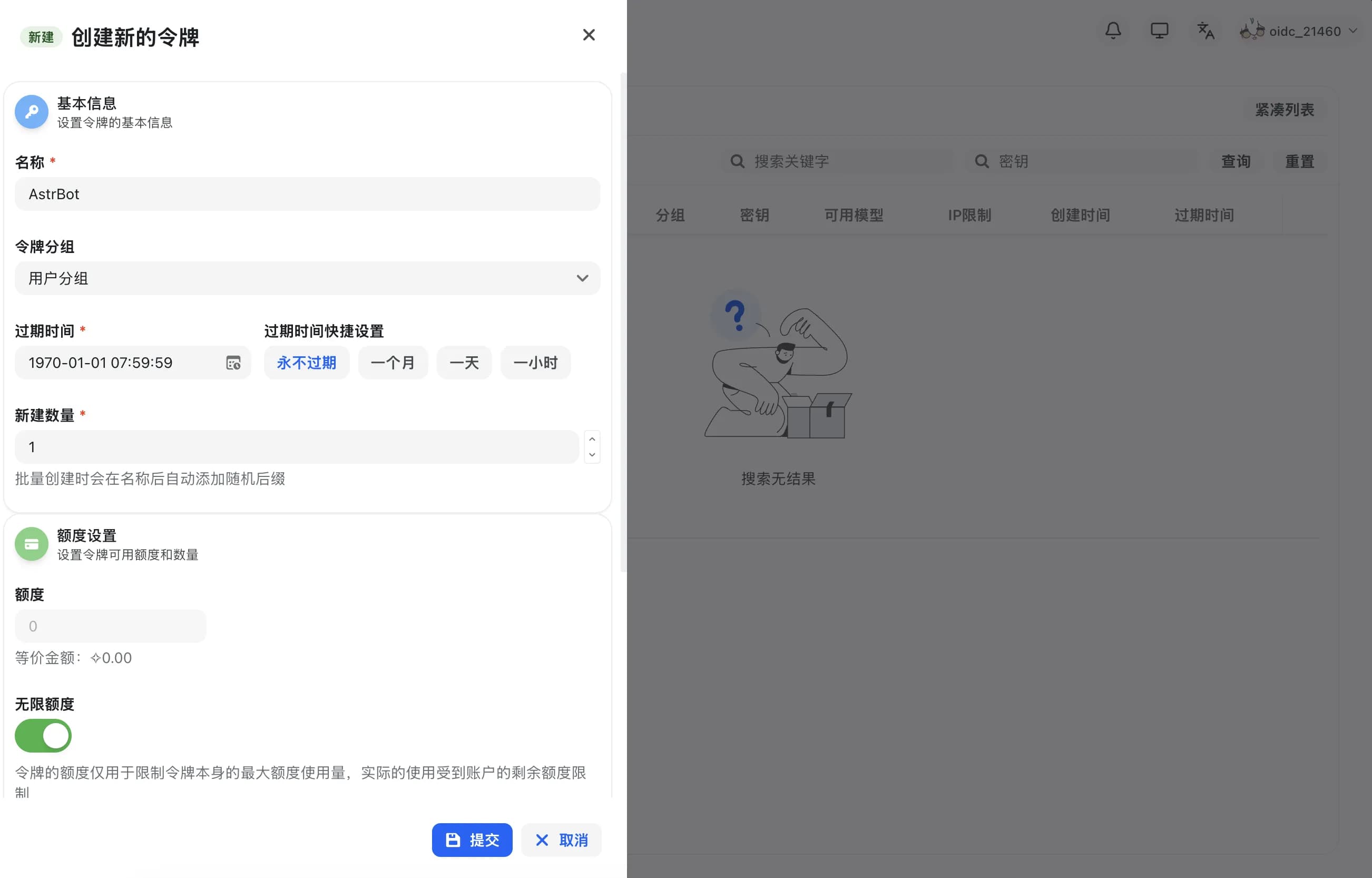
After successful creation, click the 'Copy Key' button to copy the generated API Key.
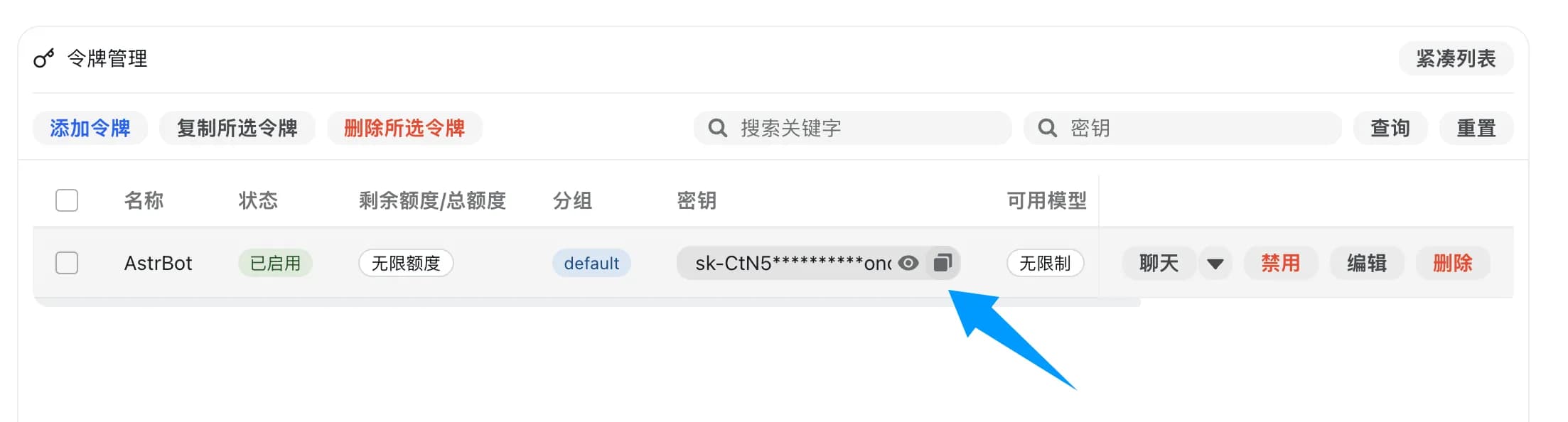
Configure Blue Whale API Service Provider in AstrBot
Open the AstrBot administration panel, go to the 'Model Providers' page, then click the 'Add Model Provider' button.
Blue Whale API perfectly supports OpenAI Chat Completion and Responses interfaces. Click 'OpenAI' to enter the OpenAI provider configuration page.
In the pop-up dialog, set the API Base URL to the Blue Whale API interface address. Please use your own deployed Blue Whale API, or ensure that the service provider has legitimate upstream authorization and compliance obligations for the Blue Whale API service. If you have deployed Blue Whale API locally, fill in the local address, for example, http://localhost:3000/v1. Do not connect API addresses or keys from unknown sources to a production environment.
Then, enter the API Key into the 'API Key' field and click the 'Save' button.
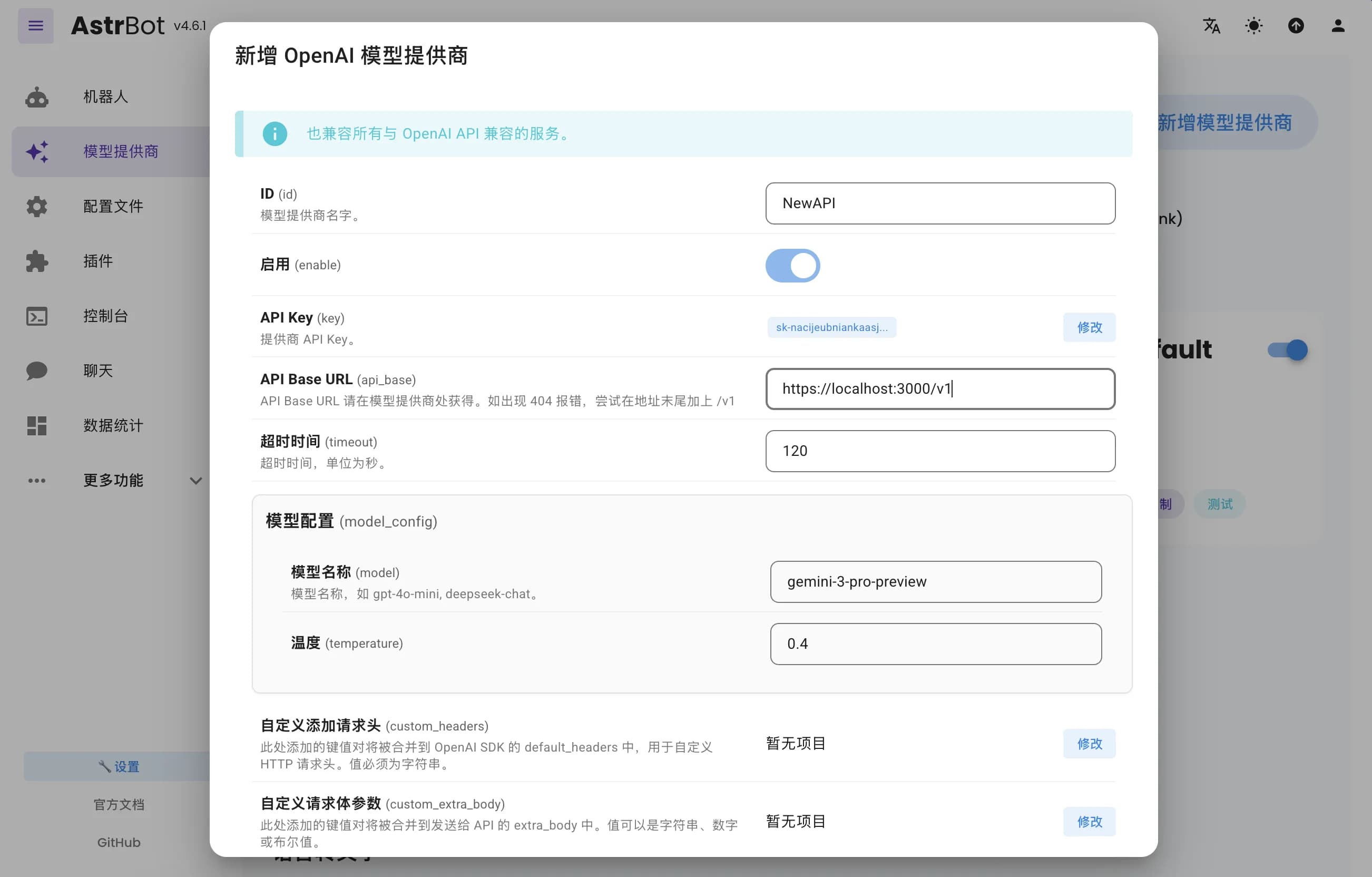
Then click 'Save' to complete the Blue Whale API provider configuration.
Apply Service Provider
Go to the 'Configuration File' page, find the 'Model' section, change the 'Default Chat Model' to the Blue Whale API provider you just created, and click the 'Save' button.
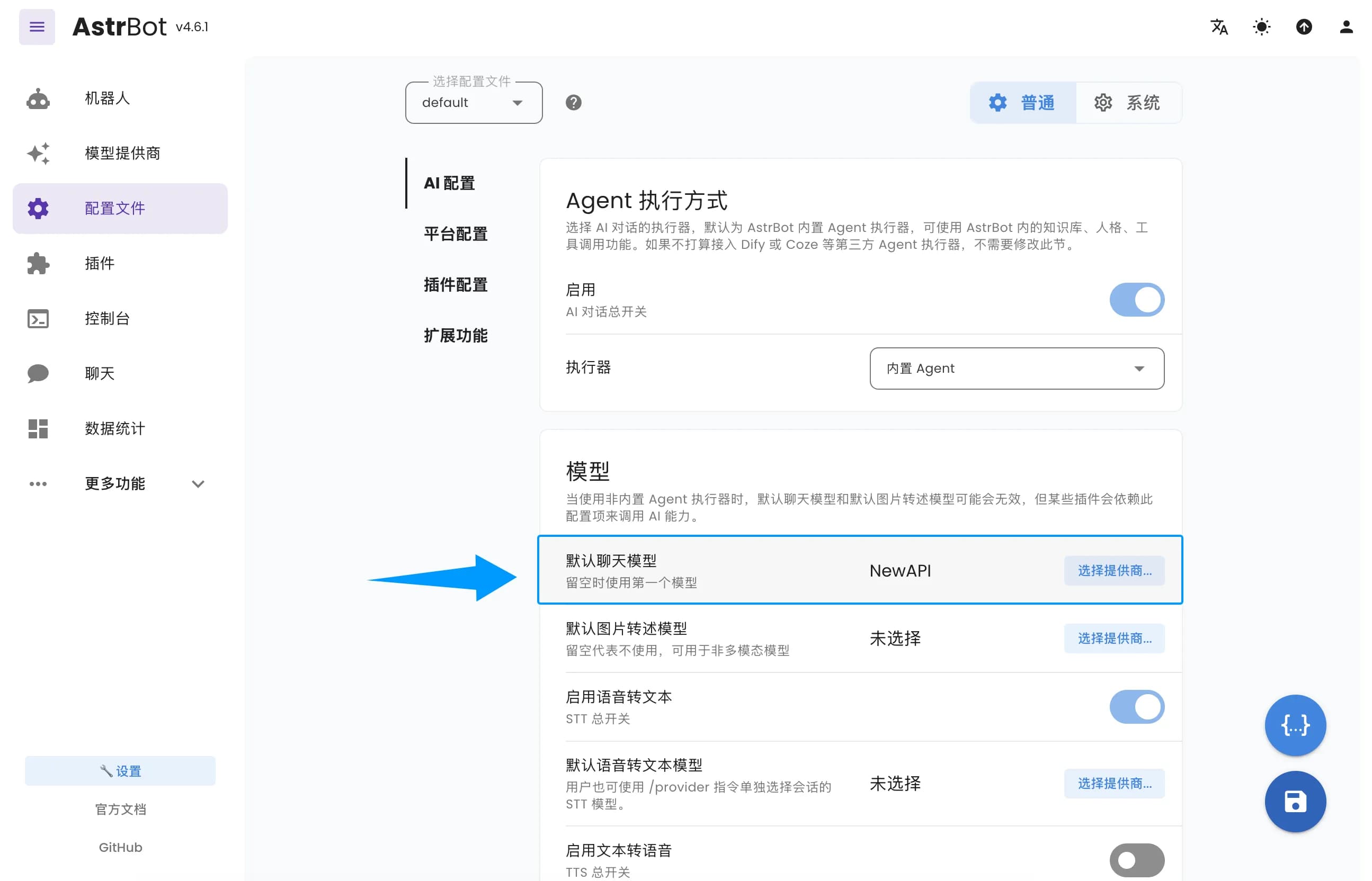
At this point, you have successfully configured Blue Whale API as AstrBot's model provider. Now, you can access and use various AI model services provided by Blue Whale API through AstrBot.