
LangBot - Instant Messaging Bot Development Platform
LangBot integration guide — build AI-powered chatbots for Feishu, DingTalk, Telegram, Discord, and more. Supports Knowledge Base, Agent, and MCP with Blue Whale API.
LangBot is an open-source instant messaging bot development platform that supports various instant messaging platforms such as Feishu, DingTalk, WeChat, QQ, Telegram, Discord, Slack, etc. It integrates with mainstream global AI models, supports various AI application capabilities like Knowledge Base, Agent, MCP, and is perfectly compatible with Blue Whale API.
- Official Website: https://langbot.app
- Download Address: https://github.com/langbot-app/LangBot/releases
- Official Documentation: https://docs.langbot.app
- Open Source Address: https://github.com/langbot-app/LangBot
Integrating Blue Whale API
LangBot supports integrating with locally deployed Blue Whale API and third-party Blue Whale API services built using Blue Whale API.
Usage
-
Obtain an API key from Blue Whale API
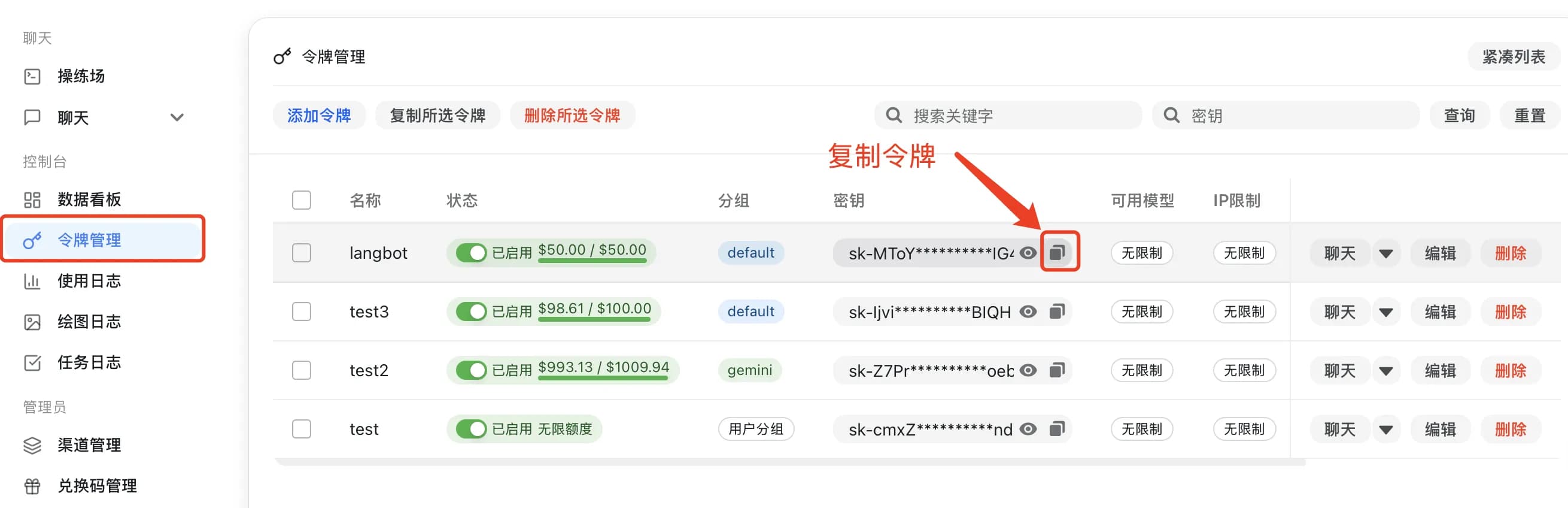
If Blue Whale API is deployed locally, please configure the API address yourself (refer to Container Network Connection). If using a third-party Blue Whale API service, you can copy the address from the page. Note that
/v1needs to be appended to the address. -
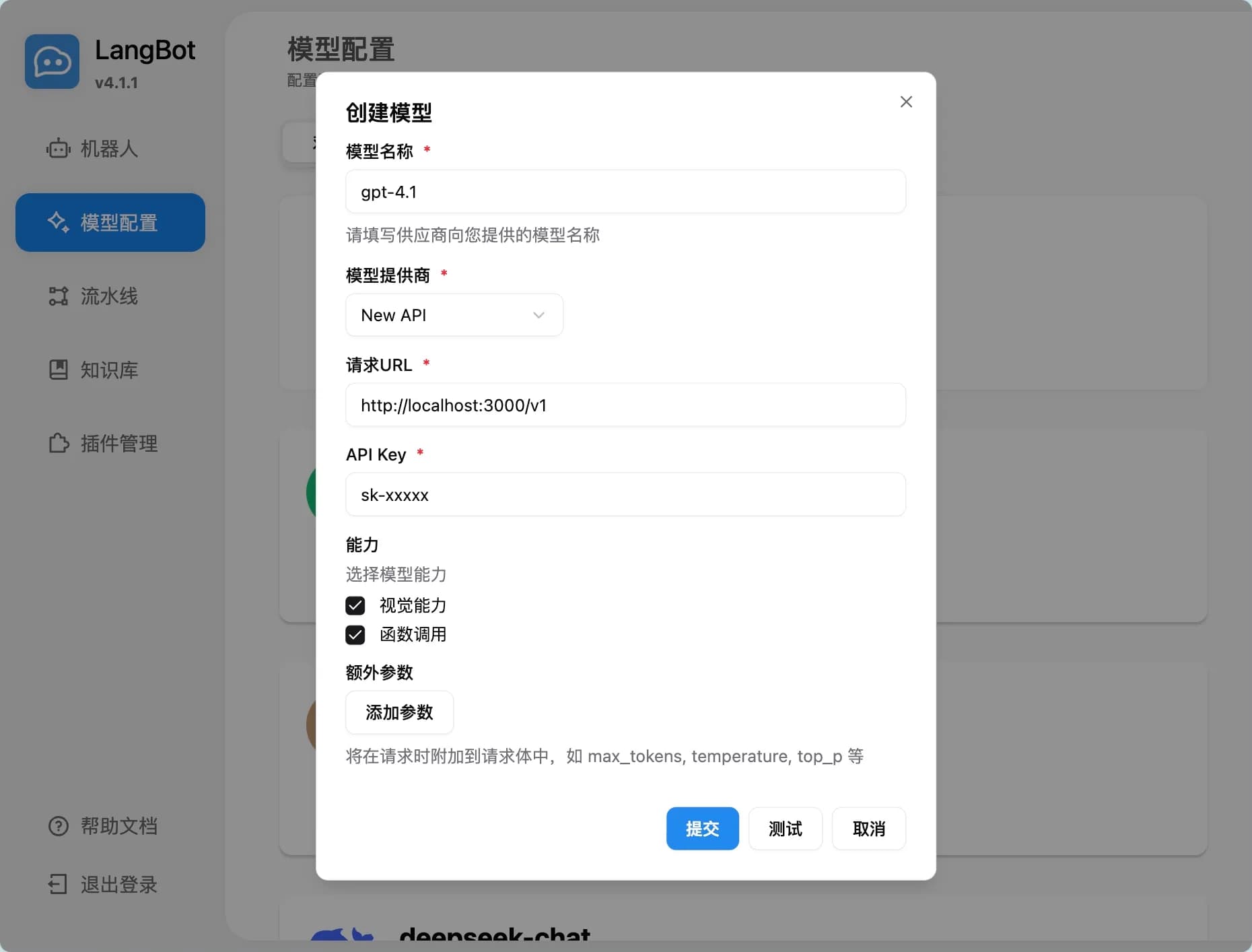
Add a model in LangBot, select Blue Whale API as the provider, and fill in the corresponding API key and API address
-
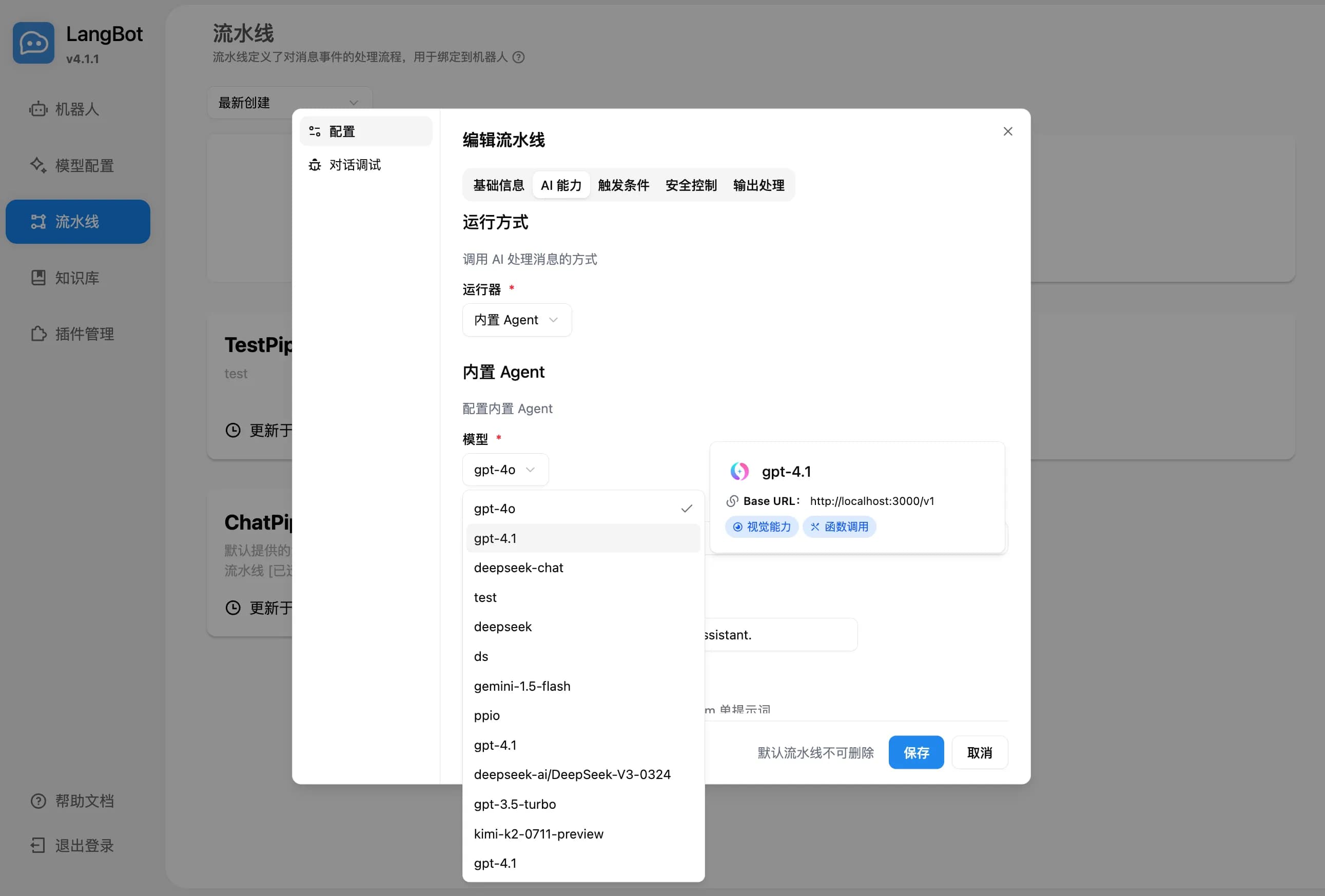
Select the model to use in the pipeline
-
Use it by chatting in conversation debugging or by chatting with a bot bound to the pipeline
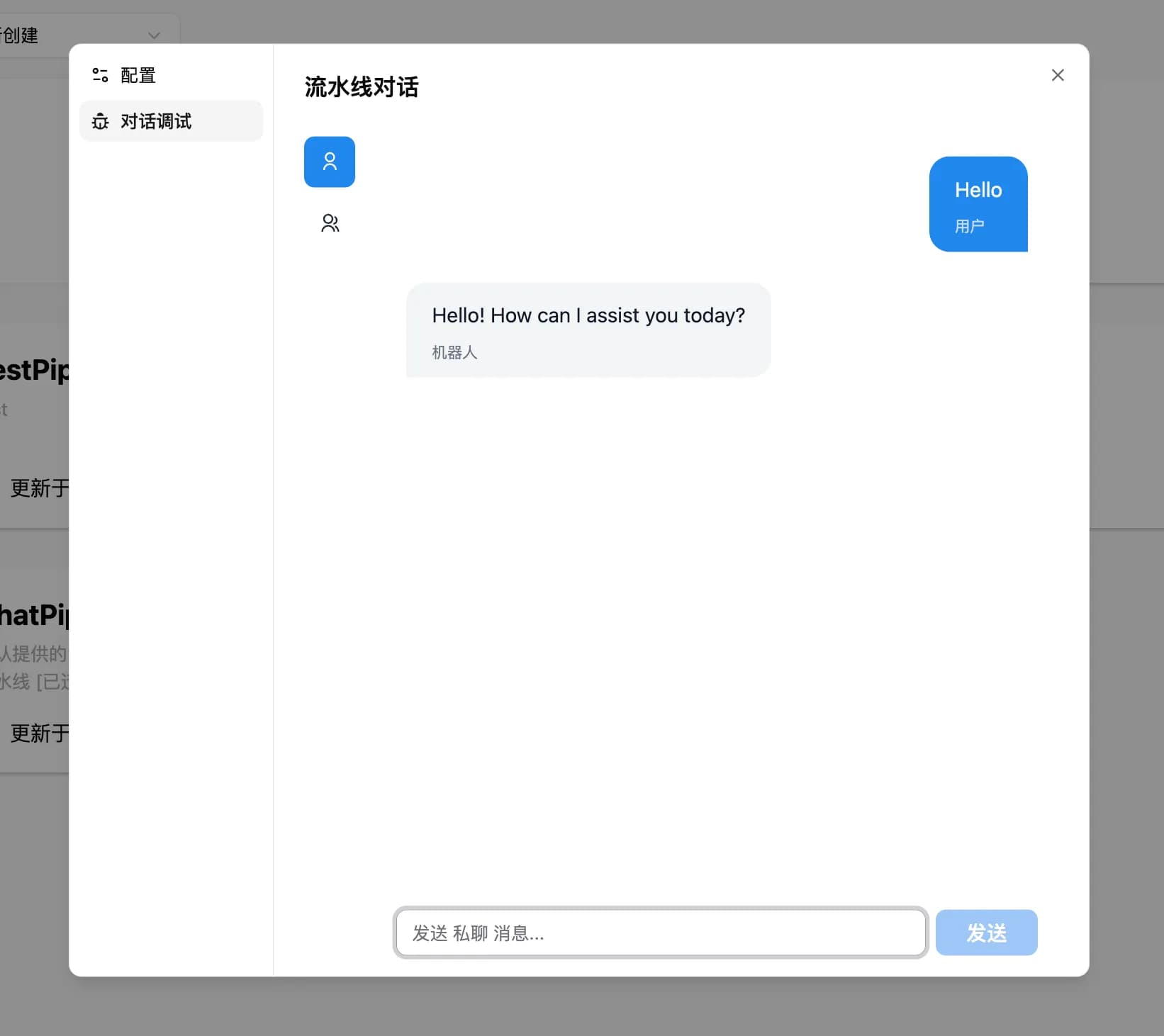
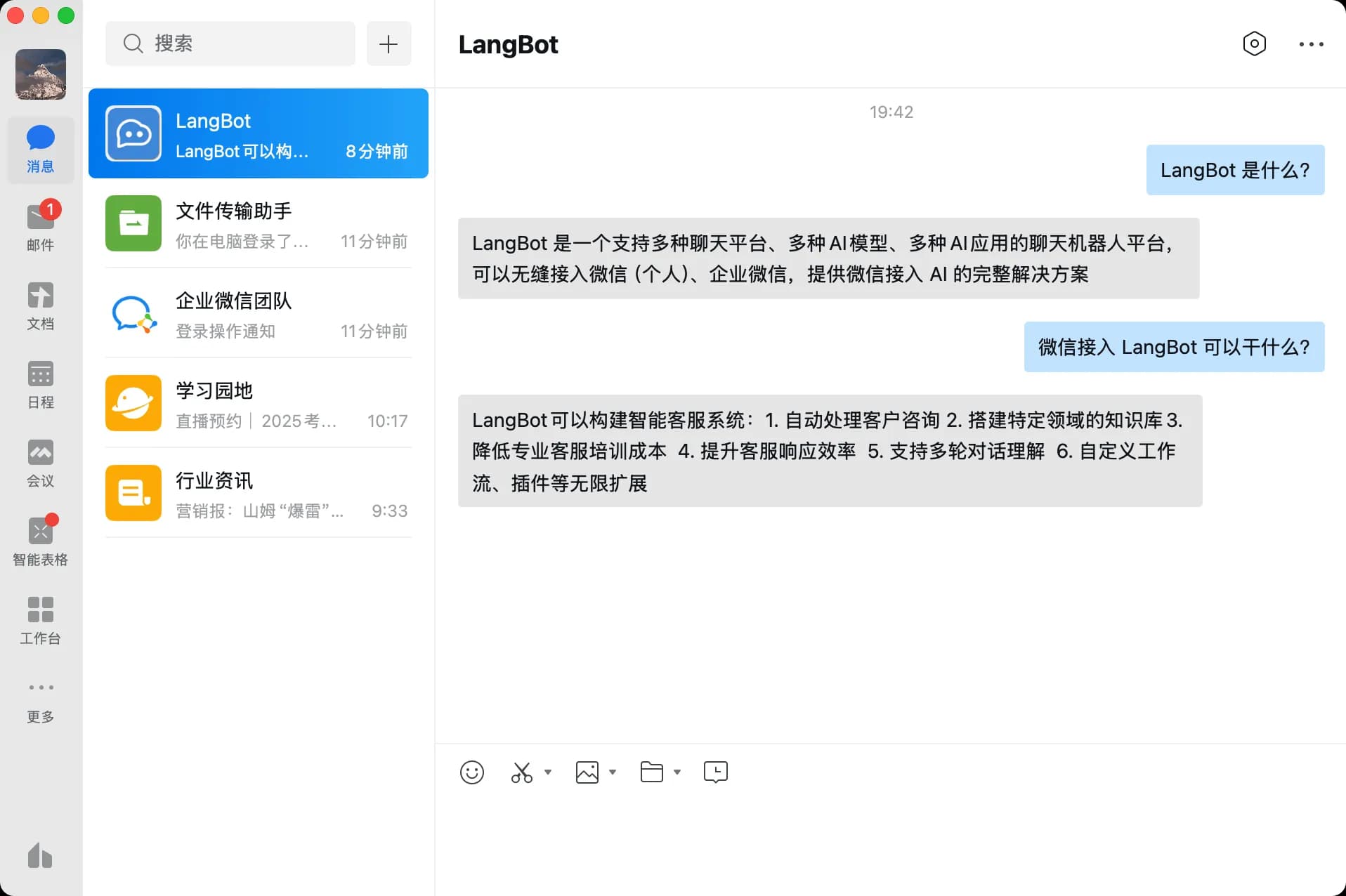
For deploying and configuring bots, please refer to Deploying Bots.
Using LangBot Knowledge Base
LangBot supports using Blue Whale API's embedding models and utilizing them as vector models for the knowledge base.
-
Add an embedding model in LangBot, select Blue Whale API as the provider
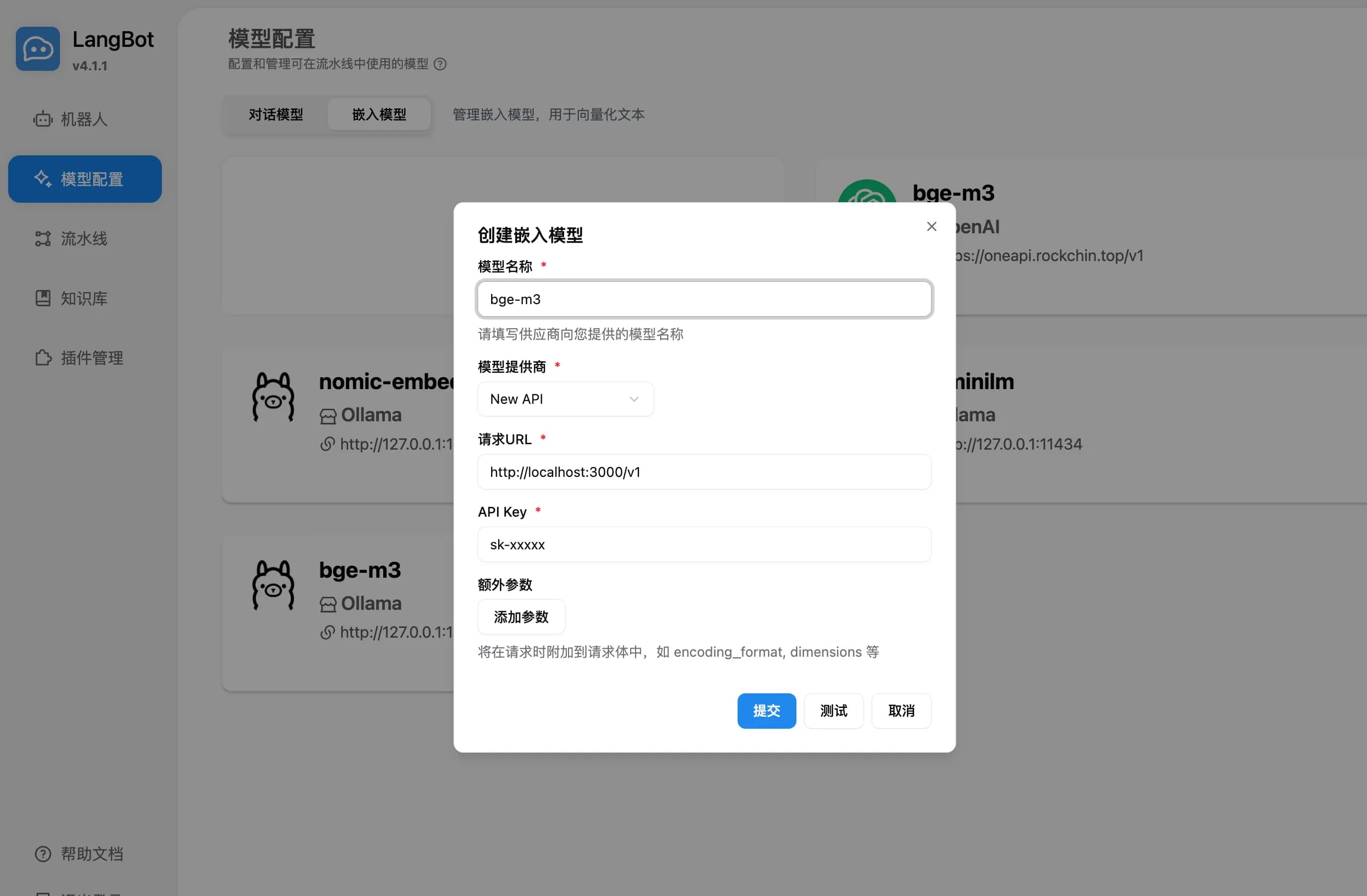
-
Select the embedding model when creating a new knowledge base
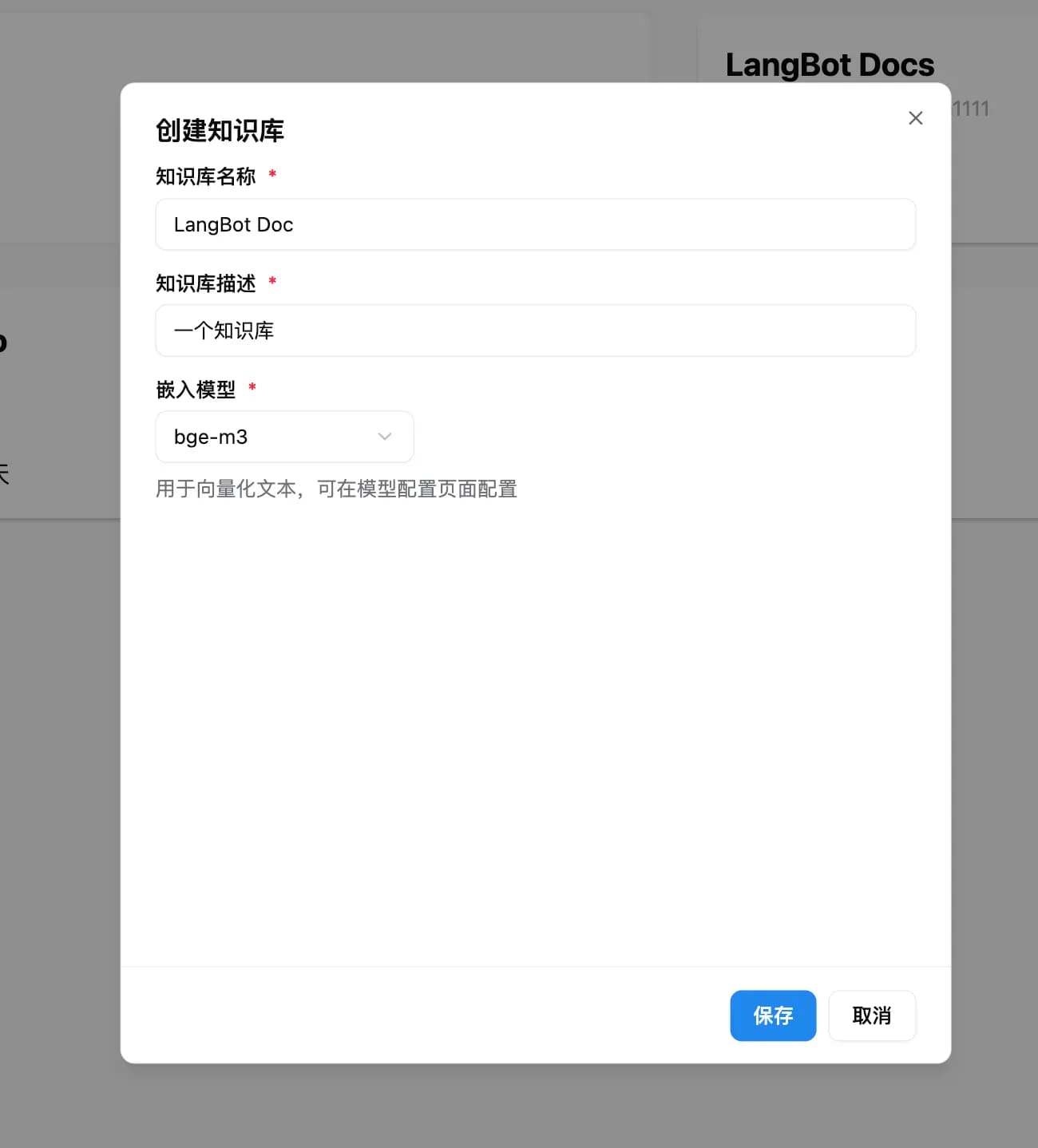
For more usage instructions, please refer to the LangBot official documentation: https://docs.langbot.app